

SAP Integrated B2B Order and Customer Management Platform
Accelerate your corporate customers’ ordering processes and bring customer, product, inventory, pricing and financial data from SAP into your B2B portal. Manage the entire process from order to shipment on a single platform.
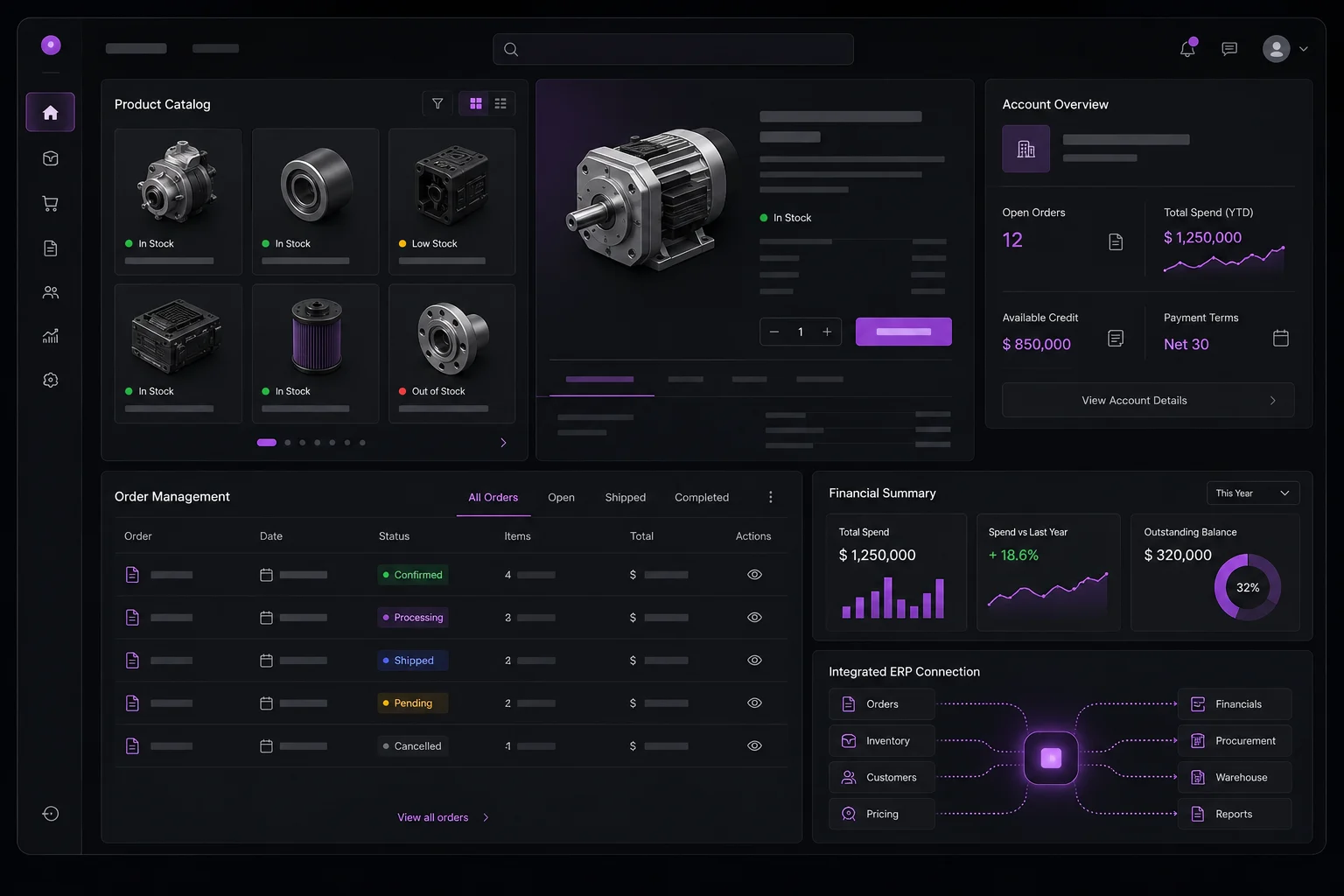
Bring SAP data into your corporate sales channel
Unify the data your customers need and their ordering processes in one portal integrated with your existing SAP environment.
Customer Master Data Integration
Customer records and core customer information in SAP are transferred to the B2B portal, keeping customer data centrally managed and up to date.
Product Master Data Integration
Finished goods and product data in SAP are synchronized with the portal. Product codes, names, categories and relevant sales information can be viewed centrally in the B2B portal.
Up-to-Date Financial Overview
After signing in, customers can view current financial information supplied by SAP according to the agreed integration scope.
Information that can be supported within the integration scope:
- Account status
- Balance
- Debit and credit information
- Available limit
- Risk and limit information
Real-Time Inventory Visibility
Customers can view current product availability in the B2B portal before placing an order.
Example product statuses:
- In Stock
- Low Stock
- Out of Stock
Customer-Specific Pricing
Pricing defined in SAP can be presented to each customer in the portal, ensuring the right prices are shown for different customer groups and commercial terms.
Two-Way Order Integration
Orders created in the B2B Portal can be transferred to SAP, while order data and updates from SAP can be sent back to the portal.
Order Status Tracking
Order status changes in SAP are reflected to customers in the portal, allowing them to follow the process from one screen.
Example order statuses:
- Order Received
- Approved
- Preparing
- Shipped
- Completed
Quick Order
A practical ordering screen lets corporate customers who purchase many items quickly create orders by entering product codes and quantities.
Example quick order entry
Add to Cart / Create Order
Bulk order upload via Excel/CSV can also be developed depending on the project scope.
The Flow Between SAP and the Portal
Corporate data moves from SAP to the portal, while orders and status updates travel in the correct direction between systems.
SAP
Innovarify B2B Portal
Corporate Customer / Dealer
Customer Data · Product Data · Inventory · Pricing · Financial Overview
Order
Order Status
Who Is It For?
Manufacturers
Distributors
Companies with Dealer Networks
Wholesale Businesses
Corporate Companies Using SAP
Businesses Digitizing Their B2B Ordering Processes
Speed and visibility for corporate sales
One Platform
Manage customer, product, pricing, inventory and order processes from one place.
SAP Integration
Integrate SAP data with your B2B sales channel.
Up-to-Date Data
Display inventory, pricing and financial information based on current data.
Faster Ordering
Shorten the ordering process for corporate customers.
Customer-Specific Experience
Show every customer content and pricing aligned with their commercial terms.
Operational Efficiency
Reduce manual ordering and data transfer processes.